Live online batches across IST, EST & GST — learners in 189+ countries
Home Courses BI and Data Visualization OBIEE Admin
BI and Data Visualization Upskill with BISP Powered By AI

OBIEE Admin

.

4.8  ·  Rated by learners Certificate of completion
Duration
25 Hours
Mode
Live + Recorded
Level
Beginner → Pro
Language
English / Hindi

Course overview

About the OBIEE Admin program.

.

Why learn with BISP

Trusted by professionals across 30+ countries.

Industry trainers

Certified consultants with 12+ years of real project experience.

Hands-on practice

Real-time scenarios & live project modules, not just slides.

Placement support

Resume building, mock interviews & job referrals.

Certification

BISP certificate + full guidance for official exams.

Course curriculum

Designed by real-time industry professionals around current job roles.

Download curriculum (PDF)
13 modules 178 topics
01 Course overview 21 topics
  • Introduction to OBIEE
  • What is OBIEE?
  • OBIEE Architecture
  • OBIEE System Components, Logging, and Configuration
  • BI Domain Architecture
  • BI Integration with Other Products
  • OBIEE Documentation
  • The OBIEE Sample Application
  • The Sample App – The Dashboard Pages
  • The Sample App – The Simple Demo
  • The Sample App – Reverse Engineering It
  • The Sample App – Installed Users
  • Starting and Stopping BI Services
  • Logging in and out
  • The BI Web Interface
  • The Global Header
  • Acting as Another User
  • Setting Preferences
  • The Catalog Menu
  • Hands-on Lab Exercises
  • OBIEE Management Tools
02 Overview of OBIEE Management Tools 15 topics
  • The Fusion Middleware Control
  • The Fusion Middleware Control
  • Fusion Middleware Control – The Core Application
  • Uploading the Repository
  • WebLogic Server Console
  • WebLogic Server Administration Control
  • Starting and Stopping the Weblogic Server
  • The WLST Tool
  • WLST – Connecting and Disconnecting
  • Enabling the SSL Port
  • WLST Scripts
  • The BI Admin Tool
  • The Job Manager
  • Configuration Files
  • Administering the Repository
03 The Administration Tool 10 topics
  • The OBI Data Layers
  • Viewing Physical Tables
  • Checking Data Consistency
  • Viewing Logical Tables
  • Viewing the Presentation Layer
  • Uploading the Repository
  • Repository Version Numbers
  • Using the MBean Browser for Repository Configuration
  • Hands-on Lab Exercises
  • Managing Variables
04 Introduction to Variables 26 topics
  • Session Variables
  • System Session Variable Reference
  • Setting Non-System Session Variables
  • Creating New Variables
  • Initialization Blocks
  • Associating Variables with Initialization Blocks
  • Viewing Current Variable Values
  • Testing Session Variables From Filters
  • SQL-Based Non-System Session Variables
  • Referencing the Session Variable
  • Repository Variables
  • Example – Dynamic Repository Variable
  • Testing Repository Variables with Filters
  • Presentation Variables
  • Predefined Presentation Variables
  • Referencing a Presentation Variable from a Title View
  • Prompts and Presentation Variables
  • Testing the Analysis Prompt
  • Presentation Variables in Conditional Formatting
  • Referencing a Variable with Conditional Formatting
  • See it in Action!
  • Column Prompts
  • The Prompts Editor
  • Column Prompts in Action
  • Hands-on Lab Exercises
  • Managing OBI Security
05 Authentication and Authorization Concepts 21 topics
  • Application Policies and Application Roles
  • Users, Groups, and Roles
  • The WebLogic Security Realm
  • Creating Users
  • Security Providers
  • Changing the Security Provider
  • Managing User Passwords
  • Managing Password Lockout
  • Adding Users to GroupsCreating Application Groups
  • Application Roles
  • Adding Users to Application Groups
  • Creating a New Application Role
  • Application Role Privileges
  • Associating Application Groups with Roles
  • Associating Users with Application Groups
  • Testing Your New User
  • Setting Object Permissions
  • Setting up User Proxies
  • Proxy Privilege (cont’d)
  • Hands-on Lab Exercises
  • Managing the Catalog
06 Catalog Overview 17 topics
  • The Catalog Location
  • Creating a New Catalog
  • Deploying a Catalog to Production
  • The Catalog Manager
  • Catalog Manager – Online vs Offline Mode
  • Opening in Offline Mode
  • Deploying Catalog Objects
  • Updating Catalog Objects
  • Catalog Validation
  • Setting Object Permissions through Catalog Manager
  • Managing Catalog Groups
  • Setting Object Properties
  • Copying and Pasting Objects
  • Paste Preferences
  • Renaming Objects
  • Searching for Catalog Objects
  • Hands-on Lab Exercises
07 Configuring Analyses and Dashboard Settings 24 topics
  • Setting Default Max Records
  • Setting View Properties
  • Data Attributes for Views
  • Configuring Graphs and Gauges
  • Setting Alternating Bar Colors
  • View Interaction Settings
  • Analysis
  • Interaction Properties
  • Interaction Property
  • Add Remove Values true
  • Configuring Prompts
  • Presentation Defaults
  • Customizing the Global Header Links
  • Global Header Links – Elements and Attributes
  • Enabling Custom Links
  • Dashboard Page Links
  • Setting Alternate Toolbar for BI Publisher Reports
  • Setting Default Footers in New Analyses
  • Auto-Preview Settings
  • Setting Default Views with New Analyses
  • Setting Dashboard Drilling Behavior
  • Dashboard Headers, Footers, and Orientation
  • Hands-on, Lab Exercises
  • Agent and Mail Management
08 Introduction to Agents 6 topics
  • Agent Permission Requirements
  • Configuring the Mail Server
  • What are Alerts?
  • Saving Agents
  • Hands-on Lab Exercises
  • Configuring Writeback
09 Overview of Writeback 4 topics
  • Configuring Write-Back
  • Sample Write-Back Template
  • The LightWriteback XML Element
  • Lab Exercises
10 Viewing BI Metrics 6 topics
  • Monitoring WebLogic Java Components
  • Query Performance Tuning
  • Fusion Middleware Control Performance Parameters
  • Viewing and Purging the Cache
  • Hands-on Lab Exercises
  • Diagnosing Problems
11 Auditing Tools 12 topics
  • Fusion Middleware Overview Page
  • Fusion Middleware Diagfnostics
  • Diagnostic Log Files
  • Configuring Diagnostics Log Settings
  • Configuring Log Output Type
  • Configuring Log Writers
  • Query Logging
  • Query Log Levels
  • The Log Viewer Utility
  • Reading the Query Logs
  • Hand-on Lab Exercises
  • OBIEE Backup and Recovery
12 Backup Overview 12 topics
  • Files to Backup
  • Backing Up MDS and BIPLATFORM Database Schemas
  • Backing up the Homes
  • Back Up Windows Registry Entries
  • Recovery Basics
  • Hands-on Lab Exercises
  • Overview of NQSConfigINI File
  • Repository
  • Query Result Cache
  • Usage Tracking
  • Query Optimization
  • Aggregate Persistence
13 Cache Management in OBIEE 4 topics
  • overview of cache architecture
  • purging cache
  • scheduling cache
  • manual and automatic cache in obiee

Course details

Who it is for, what you need, and how it is delivered.

Who should learn OBIEE Admin?

.

Prerequisites

.

Class delivery

Live Interactive classes with expert

Certificate of completion

Earn an industry-recognised BISP Trainings certificate when you finish the course.
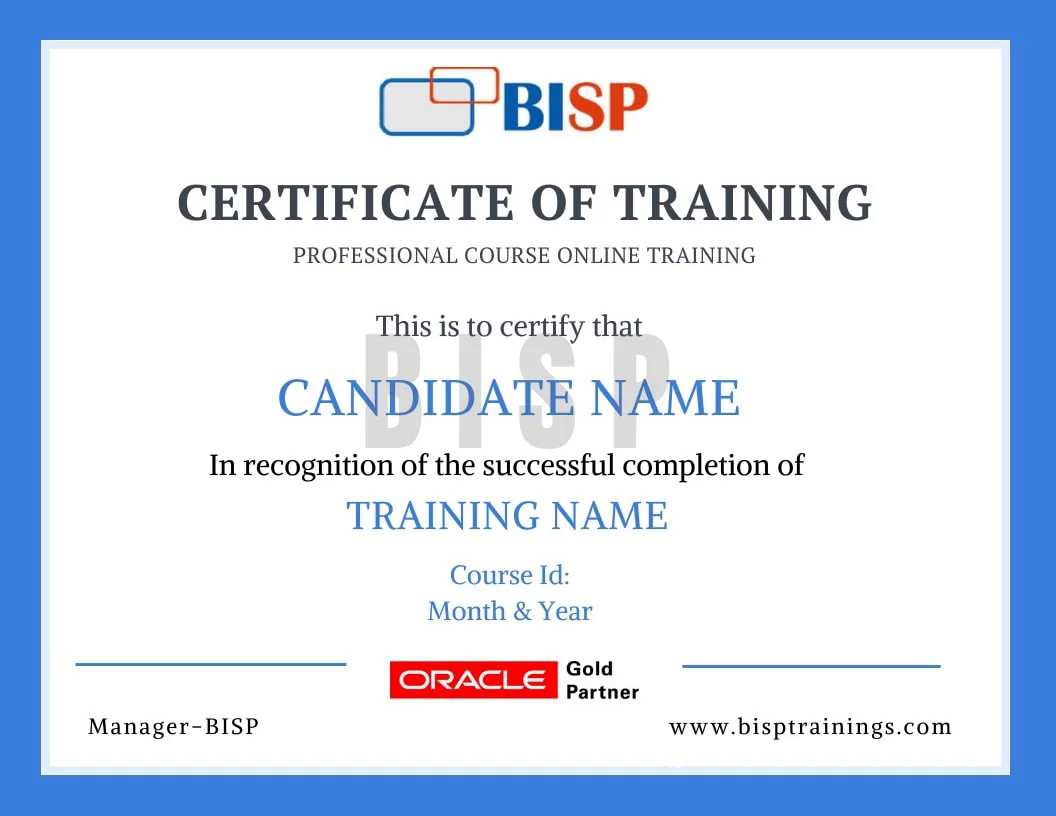
BISP Trainings Certificate of Completion
  • Verifiable certificate with a unique ID
  • Shareable on LinkedIn & your resume
  • Recognised by our hiring partners

Frequently asked questions

Everything you need before you enroll.

Can I attend a demo session before enrollment?

Yes. You may attend a demo class before enrollment for training quality evaluation, and interact one-to-one with the trainer for any specific requirement.

Can you schedule training as per my availability?

Yes. We discuss it with the trainer and schedule the training at a convenient time for you.

What if I miss a class?

You get the recorded session. You may also retake the whole training multiple times within a 6-month period with the same trainer.

Is there live project training?

Yes. The curriculum includes real-time scenarios and live project modules, with the trainer explaining every topic end-to-end.

How can I pay for the course?

Enroll securely via the payment gateway on this page using card, UPI or net-banking. EMI options are available.

More queries?

Call us at +91 769-409-5404 & +1 678-701-4914, or write to support@bisptrainings.com.

Case studies & learning PDFs

Free BI and Data Visualization resources to explore.

Not sure if this course is right for you?

Book a free 1-on-1 counselling call and get a personalised learning roadmap.

Book free trial →